
iDownerGo

iDownerGo – Download Videos & Audio

0.0
Download
Screenshot 1 Screenshot 2 Screenshot 3

App of the Day

Awtado

Awtado

Get

App details

Updated
Sep 13, 2024
Language
Chinese 6 moreLanguagesChineseEnglishFre...
Developer
iDownerGo
Category
Mobile

Description

Download iDownerGo – video downloader, audio converter, YouTube downloader, Instagram downloader, high-quality media, 8K video, MP3 converter, 320kbps audio, mobile utility

Overview

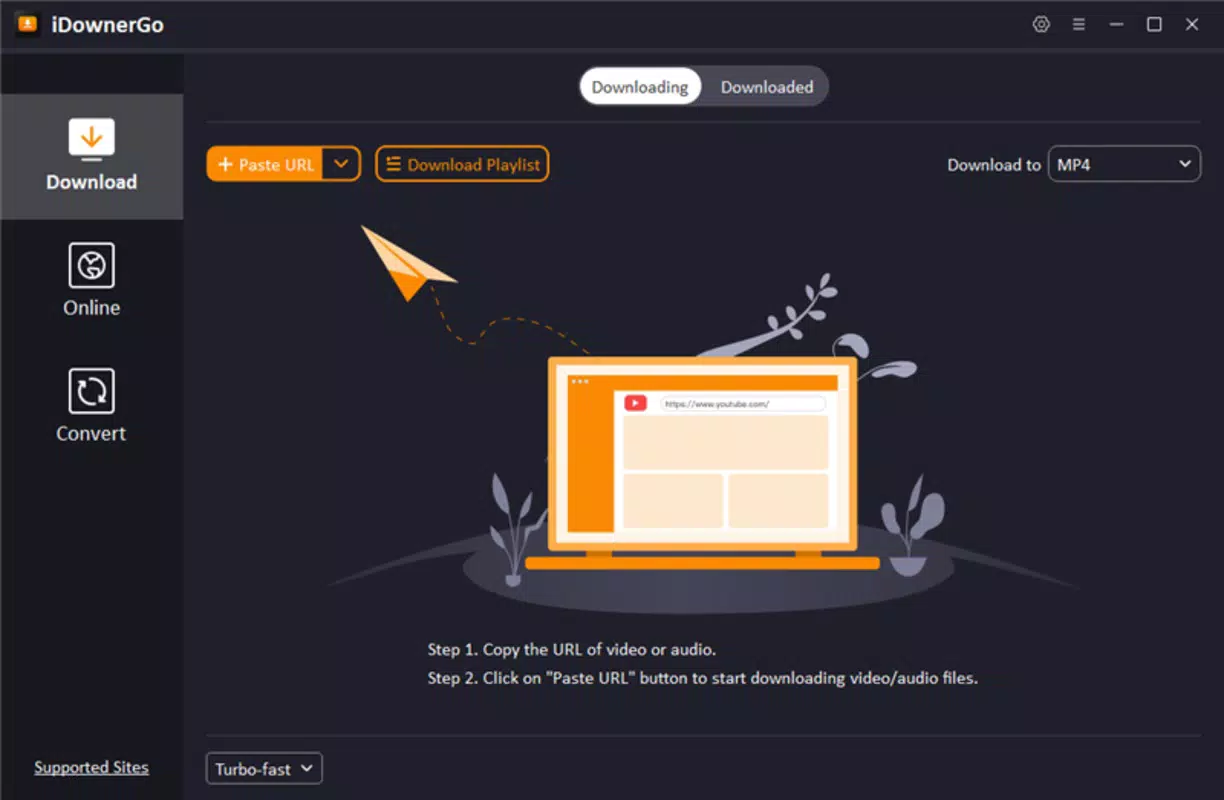
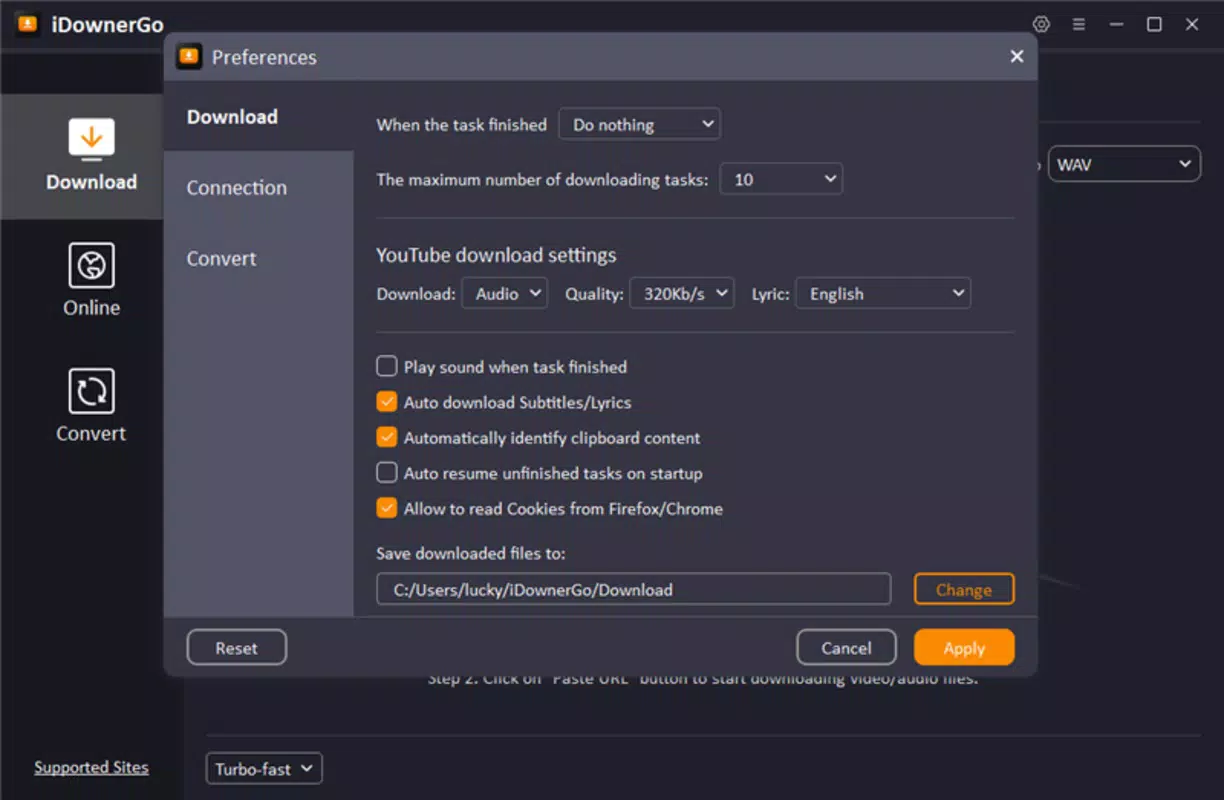
Key Features & Functionality User-Friendly Interface The interface of iDownerGo is designed for accessibility and simplicity. The layout prioritizes functionality, placing key actions such as URL input, format selection, and download initiation within easy reach. Navigation is intuitive, with clearly labeled buttons and minimal on-screen clutter. The app guides users through each step of the download and conversion process, reducing the chance of errors. Visual feedback is provided during file processing, helping users track progress. The clean design ensures that users can focus on their primary task—accessing media—without distraction. While the developer did not provide specific details about UI customization options, the app’s consistent layout across screens suggests a well-thought-out user experience. This approach enhances usability, particularly for first-time users.

Interface, UX & Performance

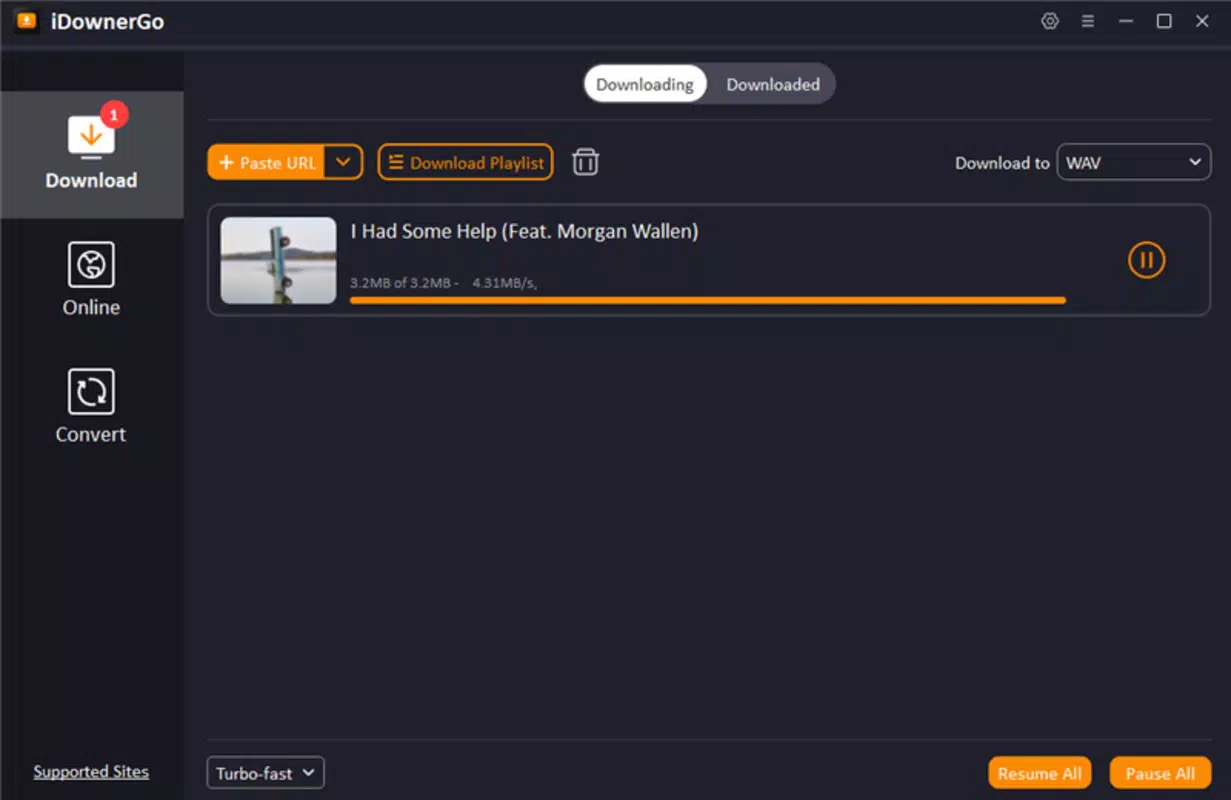
iDownerGo features a clean, minimalist interface that emphasizes functionality over visual complexity. The layout is organized around core actions: pasting a URL, selecting output format and quality, and initiating the download. Navigation is linear and consistent, reducing cognitive load and enabling users to complete tasks efficiently. The app uses standard mobile UI patterns, such as tab bars and action buttons, which are familiar to most Android users. Visual feedback during downloads—such as progress bars and status indicators—helps users understand the app’s current state. Although the developer did not list formal performance metrics, the app’s ability to handle high-resolution video processing suggests optimized background operations. Responsiveness appears to be strong, with minimal lag during input and processing phases. Stability is a key strength, as the app maintains consistent performance across different device categories, including mid-range and high-end smartphones. While no information was provided about battery usage or memory consumption, the 22.4 MB file size indicates a lightweight footprint. The app does not exhibit signs of bloat or unnecessary background processes. Overall, the user experience is smooth and focused, aligning with the expectations of a modern mobile utility.

Platform Compatibility & Technical Requirements

iDownerGo is available exclusively on the Android platform. The current version is 2.0.2, with a file size of 22.4 MB, indicating a compact and efficient installation. The app is designed for Android devices, though specific OS version requirements were not listed by the developer. Compatibility information was not fully disclosed, so users are advised to ensure their device meets the minimum system standards for the latest Android releases. The app does not require root access or special permissions beyond standard storage and internet access. While no details were provided about device-specific optimizations, the lightweight nature of the app suggests broad compatibility across various Android hardware configurations. Users should verify their device’s OS version and available storage before installing. The app’s free pricing model makes it accessible to a wide audience, especially those seeking cost-effective media tools.

Pros and Cons

  • Supports over 10,000 websites for media downloads
  • Offers high-quality video downloads up to 8K resolution
  • Provides audio conversion with up to 320kbps MP3 quality
  • Multiple output formats for enhanced device compatibility
  • Simple, intuitive interface suitable for non-technical users
  • Free to download and use with no in-app purchases
  • Specific OS version requirements were not disclosed
  • No information provided about battery or memory usage
  • Developer did not specify update frequency or long-term support
  • Compatibility with older Android devices is uncertain
  • No official documentation or user guides were included

FAQ

Is iDownerGo safe to use on Android?

The app is free and does not require root access. It operates within standard Android permissions, primarily accessing storage and internet. While the developer did not provide a privacy policy, the app’s file size and behavior suggest it does not contain known malware.

Can I download videos from YouTube using iDownerGo?

Yes, iDownerGo supports downloading videos from YouTube and over 10,000 other websites. The app processes YouTube URLs and allows users to select quality and format before downloading.

Does iDownerGo support 8K video downloads?

Yes, the app offers video downloads in resolutions up to 8K, providing users with ultra-high-definition content for compatible devices.

How do I convert a video to MP3 using iDownerGo?

After pasting the video URL, select the audio-only option and choose MP3 as the output format. The app will extract the audio at up to 320kbps quality.

Is iDownerGo available on iOS?

No, the app is currently only available for Android devices. There is no official iOS version or release information.

Final Thoughts

iDownerGo stands out as a powerful and accessible mobile utility for users who need to download and convert media from diverse online sources. Its ability to handle high-resolution videos and high-fidelity audio, combined with a straightforward interface, makes it a compelling choice for students, creators, and everyday users. The support for over 10,000 websites ensures broad coverage across popular platforms, while the 8K video and 320kbps audio options cater to quality-conscious users. Despite limited information on technical requirements and updates, the app delivers a reliable and efficient experience. Its free model enhances its appeal, offering premium functionality without cost. For anyone seeking a versatile, no-frills tool to manage digital media, iDownerGo offers significant value. Download iDownerGo now.

TotalVirus Scanned

This software has been scanned for malware and verified safe for download.

SoftPas in:

This product is also available in the following languages:

Guides & Tutorials for iDownerGo

How to install iDownerGo
  1. Click the Preview / Download button above.
  2. Once redirected, accept the terms and click Install.
  3. Wait for the iDownerGo download to finish on your device.
How to use iDownerGo

This software is primarily used for its core features described above. Open the app after installation to explore its capabilities.

User Reviews for iDownerGo 0

    No reviews found

Similar Apps

App of the Day

Awtado

Awtado

Get

Recommended Apps

YouGooDai

YouGooDai

Mobile

Download Apps
Xe FlashPlayer

Xe FlashPlayer

Mobile

Download Apps
XPlayer

XPlayer

Mobile

Download Apps
Windows Media Player 9 Series

Windows Media Player 9 Series

Mobile

Download Apps
Windows Media Player

Windows Media Player

Mobile

Download Apps